Try Blonde Hair Online

Blonde Hair Color Changer

Thinking about going blonde? Use this blonde hair color changer to preview lighter hair on your own photo before you commit to bleach, toner, or a salon appointment.

Blonde results depend heavily on lighting and your original hair color. The preview helps you decide whether platinum, soft golden blonde, or a brighter fashion look is worth exploring with a professional.

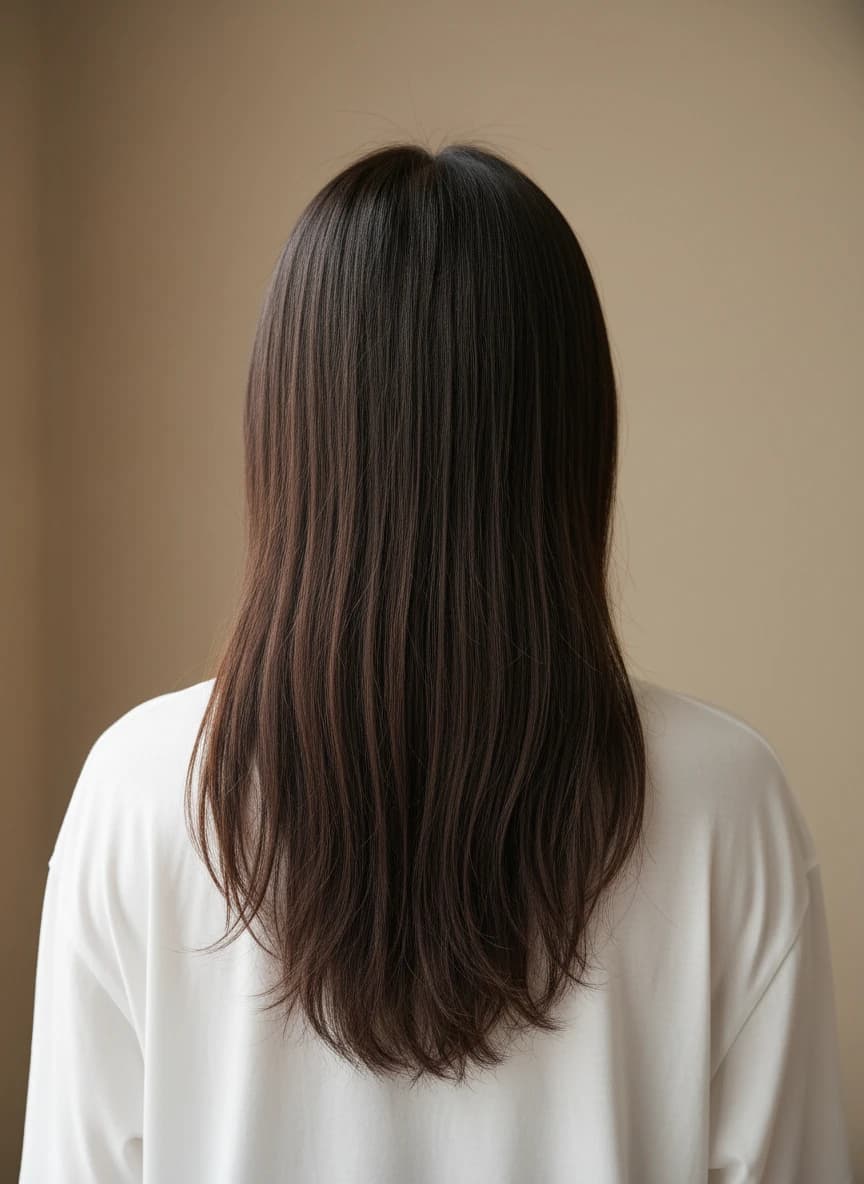
Before photo for Platinum Blonde PreviewBefore
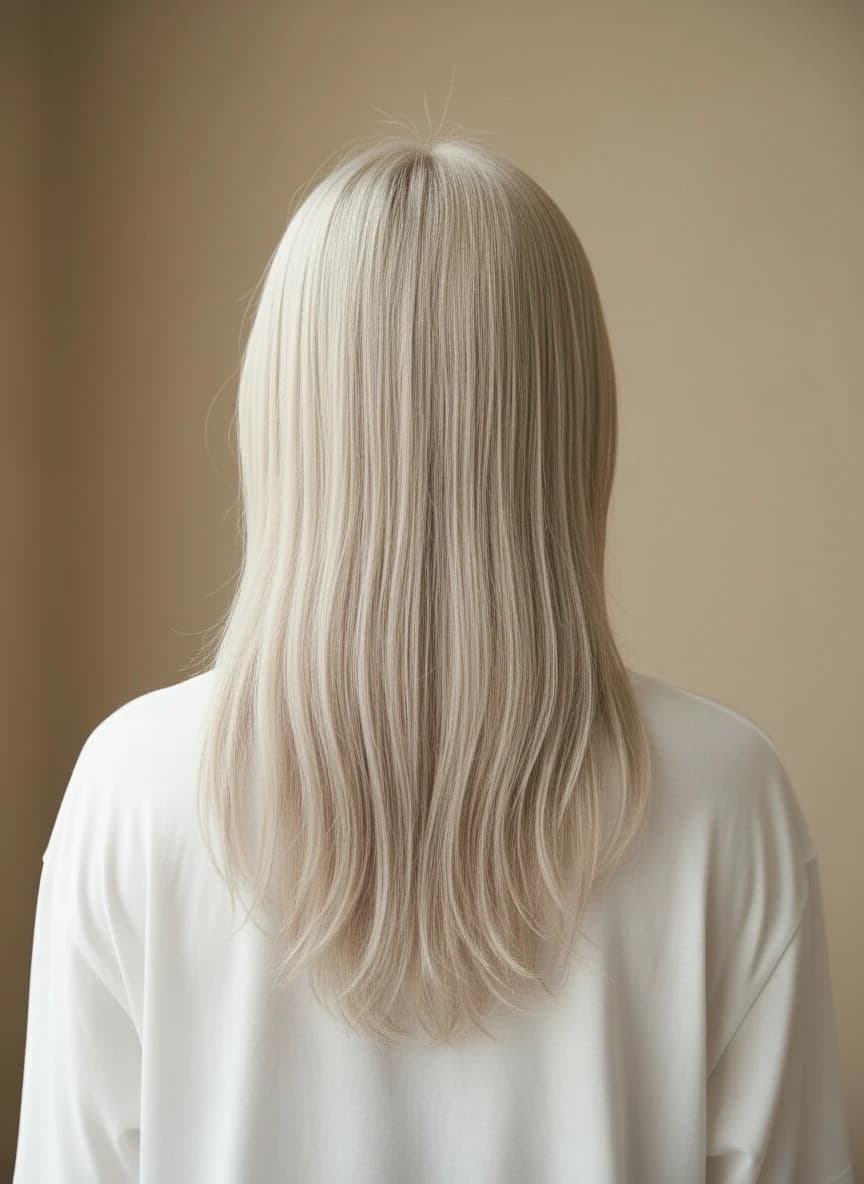
Blonde hair color changer example with platinum blonde hairAfter
Platinum Blonde Preview. Preview results vary by photo, lighting, and plan.

Why use it

  • Preview a blonde look before bleaching.
  • Compare cool platinum against warmer blonde ideas.
  • Create a reference image for your stylist.

Best for

  • Planning a first blonde transformation
  • Checking whether platinum feels too bright
  • Testing blonde hair for photos or events

Photo tips

  • Use a photo with balanced lighting, not strong yellow light.
  • Try a few blonde tones before deciding on one.
  • Remember that real blonde transformations may require multiple salon sessions.

Choose warmth, coolness, and platinum by the result you want

Warm blonde keeps golden, honey, or peach reflection visible and can feel softer when your complexion or wardrobe already carries warmth. Cool beige and ash blonde reduce orange and yellow reflection without having to become gray. Platinum is a separate commitment to very high lightness: it creates the brightest contrast change and needs a pale, even base before toner can look clean. Compare one warm option, one neutral-cool option, and platinum on the same photo so the decision comes from your face and lighting rather than a swatch name.

  • Choose warm blonde when you want visible gold and a softer transition from warm brunette or red tones.
  • Choose beige or ash when you prefer muted reflection and less obvious yellow warmth.
  • Choose platinum only when maximum lightness, not simply a cool tone, is the goal.

Plan the lift, roots, toner, and maintenance together

A virtual preview shows a destination, not the chemical path from your original base. Dark natural hair, permanent color, uneven porosity, and fragile ends can turn pale blonde into a multi-session service, while a darker blonde may be a more realistic first step. Ask a stylist how much lift is safe, then decide whether a shadow root, softer blend, or brighter all-over result matches your tolerance for regrowth. Toner controls warmth after lifting, and its fade pattern, root appointments, and conditioning routine are part of the shade choice rather than afterthoughts.

  • Bring both your brightest preview and a lower-lift alternative to a consultation.
  • A shadow root can make regrowth less abrupt while keeping blonde brightness through the lengths.
  • Schedule toner and conditioning around your real routine before choosing a high-maintenance platinum target.

Blonde Hair Color Changer FAQ

Practical answers before you upload a photo or choose a shade.

>Can I try platinum blonde hair online?

Yes. Upload a clear photo and choose a blonde or custom light shade to preview a platinum-inspired result.

>Will the preview match real bleach results?

It is a visual guide, not a chemical prediction. Your actual outcome depends on your current hair, stylist, toner, and maintenance.

>Does it work on brown or black hair?

Yes, but the most realistic previews usually come from well-lit images where the hair texture and edges are visible.

>Can I download the blonde preview?

Yes. After generation, you can preview and download the result according to your plan and available credits.

Ready to preview the color?

Upload a clear photo, choose a preset or custom shade, and compare realistic AI hair color ideas before you commit.

Start coloring now

Compare related hair color guides