
Try Red Hair Online
Red Hair Color Changer
Red hair can look completely different depending on whether the shade leans copper, auburn, burgundy, or vivid cherry. This red hair color changer lets you test those directions on your own photo before making the leap.
Use the preview as a fast way to compare warmth, contrast, and intensity. It is especially useful if you are deciding between a natural copper look and a more dramatic fashion red.
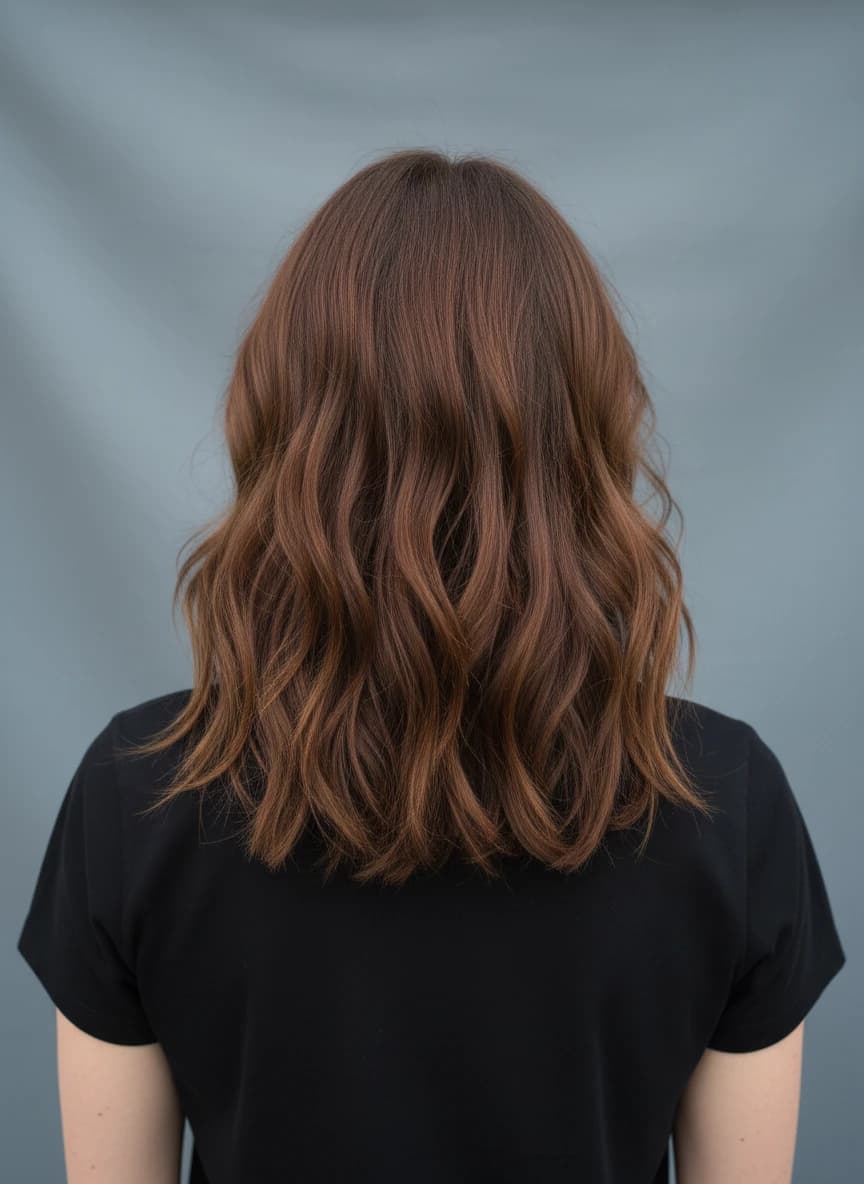 Before
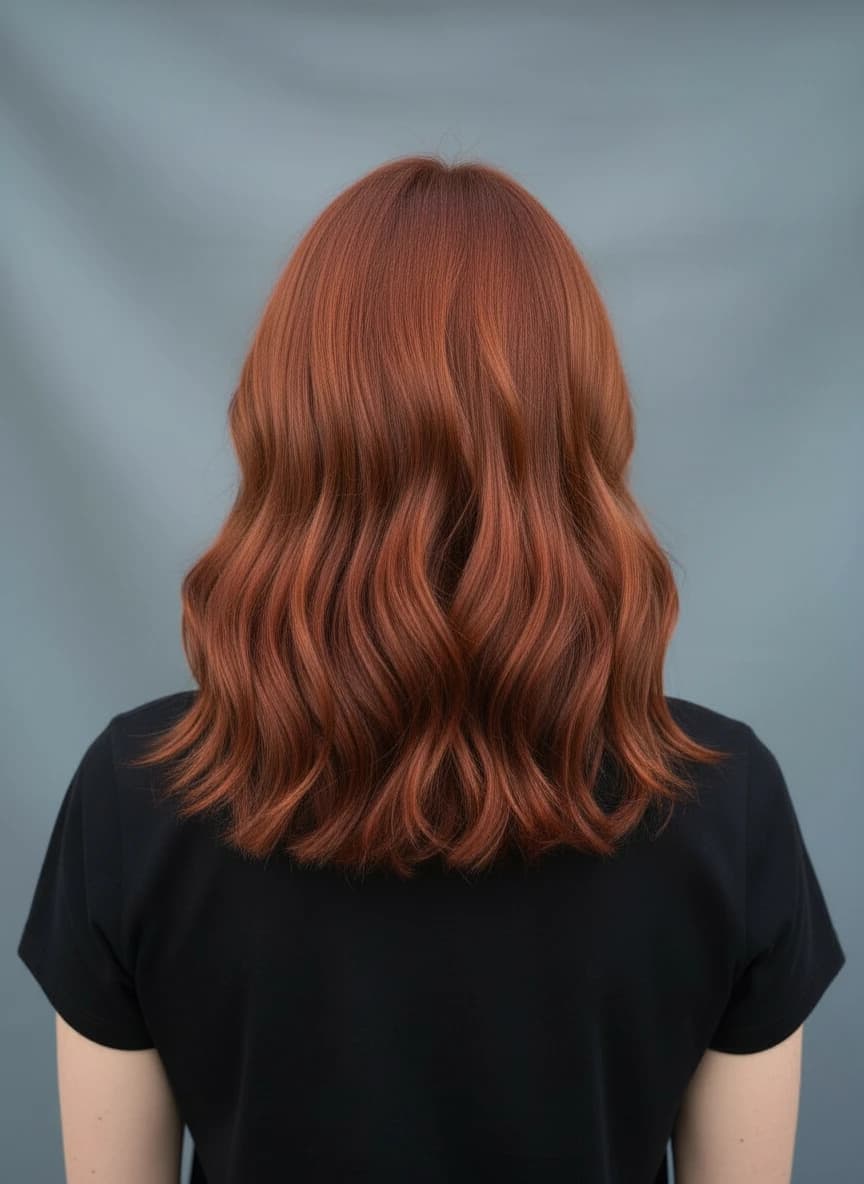 After
AfterWhy use it
- Compare copper, auburn, and vivid red directions.
- Check whether a warm tone works with your complexion.
- Avoid choosing a red shade from a tiny swatch alone.
Best for
- Trying copper hair before a salon visit
- Comparing natural red and bold red ideas
- Planning a seasonal color refresh
Photo tips
- Use daylight photos for the most useful red tone comparison.
- Avoid orange-heavy indoor lighting when judging copper shades.
- Generate more than one red option before choosing a favorite.
Red Hair Color Changer FAQ
Practical answers before you upload a photo or choose a shade.
>Can I try copper red hair online?
Yes. Choose a copper or custom warm red shade to preview how it looks on your photo.
>Is red hair hard to judge from a preview?
A preview helps with direction, but real red dye can shift under different lighting and fade over time.
>Can I try burgundy hair too?
Yes. Use the custom color picker to test deeper burgundy, wine, or cherry-inspired shades.
>What makes red previews look better?
A clear image with natural light and visible hair texture gives the AI more detail to preserve.
Ready to preview the color?
Upload a clear photo, choose a preset or custom shade, and compare realistic AI hair color ideas before you commit.
Start coloring now